Nice Tower
AI Architecture Guide 2026

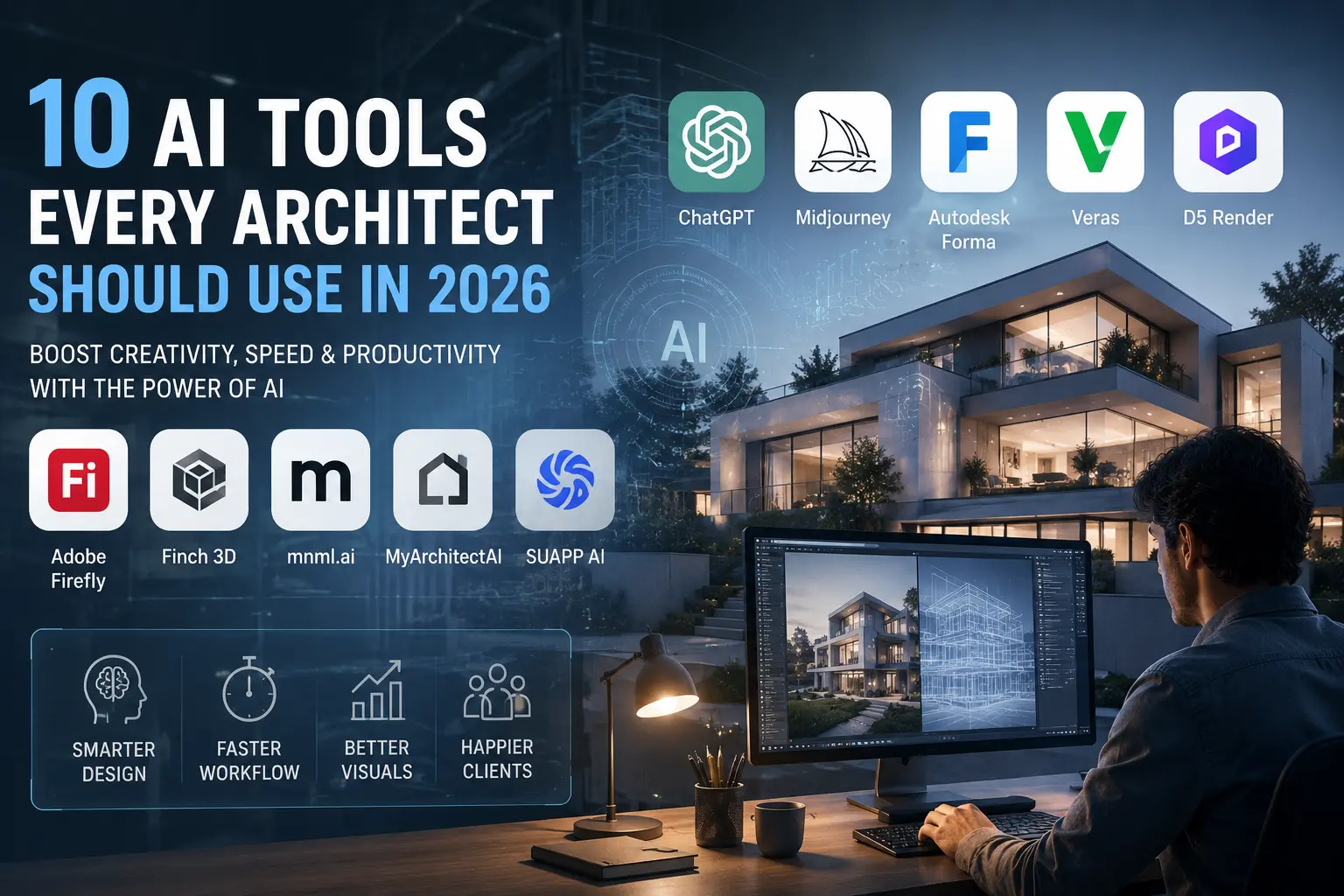
10 AI Tools Every Architect Should Use in 2026

AI tools for architects are rapidly transforming the architecture industry. What once required days of manual effort can now be accomplished in hours—or even minutes—through AI-powered workflows.

From concept generation and architectural visualization to AI rendering, BIM assistance, documentation, and design exploration, architects now have access to tools that dramatically improve productivity while unlocking new creative possibilities.

In this guide, we explore the most valuable AI tools architects should consider in 2026, with a special focus on SketchUp users, architectural visualization artists, interior designers, and professionals looking to modernize their workflow.

Best AI Tools for Architects in 2026

Why These AI Tools for Architects Matter in 2026

AI tools for architects are becoming essential because the architecture profession has become increasingly demanding. Clients expect faster project delivery, higher-quality visualizations, more design alternatives, and better communication throughout the design process.

At the same time, architects must manage complex workflows that include concept development, site analysis, 3D modeling, rendering, documentation, and presentation. Artificial Intelligence helps bridge this gap by automating repetitive tasks and accelerating design exploration.

Rather than replacing architects, AI serves as a powerful assistant that enhances creativity and supports better decision-making. Professionals who learn how to integrate AI into their workflow gain a significant competitive advantage in both productivity and project quality.

Key Benefits of AI for Architects
  • Generate design concepts faster
  • Create stronger client presentations
  • Improve rendering and visualization workflows
  • Explore more design alternatives
  • Reduce repetitive production work
  • Enhance communication with clients and teams
  • Increase productivity without sacrificing creativity
Faster Concept Development Generate multiple design directions within minutes rather than days.
Better Visualization Create compelling images and presentations much faster.
Workflow Automation Reduce repetitive tasks and focus more on design thinking.
Smarter Decision-Making Use AI-powered insights to support architectural solutions.

Top AI Tools Covered in This Guide

  • 1. ChatGPT – Research, documentation, scripting, and workflow support.
  • 2. D5 Render AI – Real-time rendering and AI-enhanced visualization.
  • 3. SUAPP AI – AI ecosystem for SketchUp users, including rendering, image generation, image-to-3D, animation, and AI assistance.
  • 4. Veras – AI visualization directly from SketchUp, Revit, Rhino, and Archicad.
  • 5. Midjourney – Architectural ideation and concept generation.
  • 6. Autodesk Forma – Site analysis and environmental intelligence.
  • 7. Adobe Firefly – AI-powered image editing and post-production.
  • 8. Finch 3D – Generative planning and layout optimization.
  • 9. MyArchitectAI – Fast architectural rendering workflows.
  • 10. mnml.ai – Sketch-to-render and visualization workflows.

1. ChatGPT

ChatGPT has become one of the most versatile AI assistants available to architects. While many people associate it with writing, its capabilities extend far beyond simple text generation.

Architects use ChatGPT for project research, documentation, workflow planning, scripting assistance, proposal writing, client communication, and design brainstorming. It can help simplify technical concepts, generate presentation content, and even assist with software-related workflows.

For SketchUp users, ChatGPT can be particularly useful when learning advanced workflows, troubleshooting modeling challenges, planning tutorials, creating SEO content, or developing custom scripting ideas.

How Architects Use ChatGPT

  • Architectural research
  • Project descriptions and narratives
  • Presentation content creation
  • Workflow planning
  • Design brainstorming
  • Client communication
  • Content marketing and SEO
  • Software learning support
Pro Tip

Use ChatGPT to create better prompts for D5 Render AI, SUAPP AI, Midjourney, and other visualization tools. Better prompts often lead to significantly better results.

```

2. D5 Render AI

D5 Render has become one of the most influential visualization platforms in modern architectural workflows. Designed specifically for architects, interior designers, landscape designers, and visualization artists, D5 combines real-time rendering technology with powerful AI-assisted tools that significantly reduce production time.

Unlike traditional rendering engines that often require extensive setup and lengthy rendering processes, D5 Render focuses on speed, realism, and workflow efficiency. Architects can move from a SketchUp model to a presentation-ready rendering in a fraction of the time previously required.

The addition of AI-powered features has further strengthened D5's position in the market. These tools help designers generate environments, improve lighting, enhance materials, create realistic vegetation, and refine architectural scenes more efficiently.

Key Features of D5 Render AI

  • Real-time rendering technology
  • AI-enhanced image generation
  • AI atmosphere and environment creation
  • Large asset library
  • Photorealistic vegetation system
  • Animation and walkthrough support
  • Direct SketchUp synchronization
  • Landscape and exterior visualization tools
  • High-quality interior rendering workflows

One of the reasons D5 Render has gained popularity among SketchUp users is its smooth synchronization workflow. Designers can modify geometry inside SketchUp and instantly see updates inside D5 without constantly rebuilding scenes.

Why Architects Love D5 Render

D5 Render allows architects to spend less time on technical rendering settings and more time on design development, client communication, and creative exploration.

For professionals focused on architectural visualization, D5 Render remains one of the strongest AI-enhanced rendering platforms available in 2026.

3. SUAPP AI

For SketchUp professionals, SUAPP AI is one of the most interesting AI ecosystems currently available. Unlike many AI tools that focus on a single task, SUAPP AI provides multiple specialized solutions designed to support architects, interior designers, landscape designers, and 3D visualization artists throughout different stages of the design process.

The platform includes several dedicated AI tools, each designed to solve a specific challenge within architectural workflows. Together, they create a complete AI-assisted environment that can accelerate concept development, visualization, asset creation, animation, and design assistance.

For SketchUp users, this is particularly valuable because SUAPP AI integrates naturally into workflows already used by many architecture professionals.

SUAPP AIR – AI Rendering Assistant

SUAPP AIR focuses on AI-powered rendering and visualization. Architects can use AIR to transform architectural images, design studies, and concept scenes into polished visual outputs much faster than traditional rendering workflows.

Instead of spending hours adjusting lighting, atmosphere, materials, and visual styles manually, AIR can generate multiple rendering directions that help designers compare alternatives and refine presentations.

  • AI-assisted rendering workflows
  • Architectural visualization support
  • Interior design rendering assistance
  • Landscape visualization enhancement
  • Fast design exploration
  • Presentation-ready imagery

SUAPP AIC – Text-to-Image Generation

SUAPP AIC allows architects to generate visual concepts directly from text descriptions. This can be extremely useful during the earliest stages of design when ideas are still evolving.

Architects can describe a project, material palette, facade style, or spatial concept and receive visual interpretations that can inspire further development.

  • Text-to-image generation
  • Architectural concept exploration
  • Mood board development
  • Interior design inspiration
  • Facade design ideation
  • Landscape concept generation

SUAPP AIM – Image-to-3D and Text-to-3D

AIM is one of the most innovative tools within the SUAPP ecosystem. It allows users to generate 3D models from images or text descriptions and supports integration with SketchUp and Rhino workflows.

For architects and visualization artists, this can dramatically reduce the time required to create design assets and supporting objects.

Instead of manually modeling every decorative object, furniture piece, or conceptual element, designers can generate assets using AI and then refine them within their preferred modeling software.

  • Image-to-3D generation
  • Text-to-3D generation
  • SketchUp integration
  • Rhino integration
  • Rapid asset creation
  • Concept modeling support

SUAPP AIA – Image-to-Video Animation

Modern architectural presentations increasingly rely on motion rather than static imagery. SUAPP AIA helps transform still images into dynamic videos that can be used for client presentations, social media marketing, project previews, and promotional content.

For architects looking to improve project communication, animated visual content often delivers a much stronger impact than static renderings alone.

  • Image-to-video generation
  • Architectural marketing content
  • Project presentation enhancement
  • Social media visualization
  • Quick animation creation

SUAPP AIT – AI Design Assistant

AIT functions as an AI-powered design assistant that supports architects, interior designers, and landscape professionals through natural conversation and design-oriented assistance.

The goal is not simply to generate images, but to support thinking, workflow organization, and creative decision-making throughout the design process.

  • Design assistance
  • Workflow guidance
  • Architectural problem solving
  • Creative support
  • Productivity enhancement
Why SUAPP AI Is Especially Relevant for SketchUp Users

Many AI platforms focus on isolated tasks. SUAPP AI takes a broader approach by combining rendering, concept generation, 3D model creation, animation, and AI assistance within a single ecosystem. For SketchUp users, this means fewer workflow interruptions and a more connected design process.

Example Workflow Using SUAPP AI

  • Generate concept images using AIC
  • Create visualization previews with AIR
  • Generate 3D assets using AIM
  • Produce presentation videos with AIA
  • Use AIT for workflow and design assistance

This combination makes SUAPP AI one of the most comprehensive AI platforms currently available for architectural visualization and SketchUp-based workflows.

4. Veras

Veras is an AI visualization platform developed specifically for architects and designers who already work inside professional modeling software. It integrates with SketchUp, Revit, Rhino, Archicad, and Vectorworks, allowing designers to generate AI-enhanced imagery directly from their models.

Rather than replacing traditional rendering, Veras helps architects explore visual possibilities quickly. Designers can test materials, lighting conditions, atmospheric effects, and stylistic directions without investing significant rendering time.

  • AI visualization directly from models
  • SketchUp workflow support
  • Revit workflow support
  • Rapid concept visualization
  • Fast material exploration
  • Client presentation support

Veras is particularly useful during early project stages when architects need to communicate ideas quickly and efficiently.

5. Midjourney

Midjourney remains one of the most powerful AI image-generation platforms available. Architects use it extensively during concept development to explore styles, atmospheres, material palettes, lighting conditions, and design directions.

Although Midjourney is not a replacement for architectural modeling software, it has become an extremely valuable creative companion. Many architects begin projects with Midjourney-generated mood boards before moving into SketchUp, Revit, Rhino, or other design tools.

  • Concept design generation
  • Architectural mood boards
  • Interior design inspiration
  • Facade exploration
  • Landscape concept generation
  • Architectural storytelling

For architects looking to accelerate ideation and creative exploration, Midjourney continues to be one of the most effective AI tools available.

6. Autodesk Forma

Autodesk Forma is one of the most advanced AI-powered platforms for early-stage architectural planning and site analysis. Formerly known as Spacemaker, Forma helps architects make smarter design decisions before detailed modeling begins.

The platform analyzes environmental conditions, site constraints, sunlight exposure, wind patterns, noise levels, density requirements, and urban planning factors. This allows architects to evaluate design performance before investing significant time in development.

As sustainability becomes increasingly important in modern architecture, Autodesk Forma enables professionals to create more efficient and environmentally responsive designs from the earliest stages of a project.

Key Benefits of Autodesk Forma

  • AI-assisted site analysis
  • Sunlight and shadow studies
  • Wind analysis and comfort evaluation
  • Environmental performance assessment
  • Urban planning support
  • Density and massing studies
  • Data-driven design decisions
  • Sustainable design optimization

For architects working on residential developments, commercial complexes, mixed-use projects, and urban planning initiatives, Autodesk Forma can significantly improve decision-making quality during the conceptual stage.

Best For

Large-scale developments, urban planning projects, residential communities, commercial projects, and architects who prioritize sustainability and performance-based design.

7. Adobe Firefly

Adobe Firefly has become one of the most practical AI tools for architectural visualization and creative post-production. Unlike many AI image generators, Firefly integrates directly into the Adobe ecosystem, making it highly valuable for architects already using Photoshop and Creative Cloud applications.

Architects commonly use Firefly to improve presentation boards, expand renderings beyond their original boundaries, remove unwanted objects, create marketing visuals, and enhance project imagery.

One of Firefly's biggest advantages is that it helps improve existing architectural visuals rather than requiring designers to start from scratch.

Popular Uses for Architects

  • Presentation board enhancement
  • Image expansion and outpainting
  • Object removal and cleanup
  • Marketing image creation
  • Architectural storytelling
  • Post-production workflows
  • Competition board graphics
  • Social media content creation

For architecture firms producing client presentations, competition entries, and marketing materials, Firefly can dramatically reduce editing time while improving visual quality.

Why Firefly Matters

Instead of replacing design software, Firefly enhances the final presentation stage where architectural projects must be communicated clearly, professionally, and attractively.

8. Finch 3D

Finch 3D is one of the most innovative generative design platforms available to architects today. It focuses on helping designers explore layout options, planning strategies, and space configurations more efficiently.

Rather than manually testing countless alternatives, architects can use Finch to rapidly generate and evaluate different planning solutions. This is especially valuable during feasibility studies and early project development.

As project requirements evolve, Finch can quickly adapt and generate updated layouts while maintaining design constraints and project goals.

Key Advantages of Finch 3D

  • Generative design workflows
  • Space planning optimization
  • Layout generation
  • Feasibility studies
  • Design alternative exploration
  • Rapid project iteration
  • Early-stage planning support

For architects working on residential buildings, apartment complexes, office projects, schools, healthcare facilities, and mixed-use developments, Finch can significantly accelerate the planning process.

Ideal For

Architects who spend substantial time developing layouts, evaluating multiple planning scenarios, and optimizing building performance during the early design stages.

9. MyArchitectAI

MyArchitectAI is a visualization-focused platform designed specifically for architects, interior designers, developers, and real estate professionals.

The platform allows users to transform sketches, simple models, and conceptual designs into attractive visual outputs quickly and efficiently. This makes it useful for both early-stage design exploration and client-facing presentations.

Common Use Cases

  • Architectural rendering
  • Exterior visualization
  • Interior rendering
  • Real estate marketing
  • Concept presentation
  • Design alternative exploration
  • Fast visualization workflows

For small studios and independent architects, MyArchitectAI can provide a cost-effective way to create appealing visuals while reducing rendering production time.

10. mnml.ai

mnml.ai has gained popularity among architects and interior designers because of its ability to transform sketches, elevations, floor plans, and conceptual drawings into visually compelling renderings.

The platform is designed specifically for architecture workflows, making it more relevant than many general-purpose AI image generators.

Why Architects Use mnml.ai

  • Sketch-to-render workflows
  • Floor plan visualization
  • Elevation rendering
  • Facade exploration
  • Interior design visualization
  • Fast conceptual rendering
  • Client presentation support

For architects who frequently work with conceptual sketches and schematic designs, mnml.ai can dramatically shorten the path from idea to visualization.

How to Choose the Right AI Tool for Your Workflow

No single AI tool can solve every architectural challenge. The most effective professionals combine multiple tools depending on project requirements and workflow needs.

  • Research & Productivity: ChatGPT
  • Rendering & Visualization: D5 Render AI
  • SketchUp AI Workflows: SUAPP AI
  • Concept Generation: Midjourney
  • Site Analysis: Autodesk Forma
  • Post-Production: Adobe Firefly

The most successful architects are building AI-powered workflows that connect multiple tools from concept generation through final presentation.

The Future of AI in Architecture

Artificial Intelligence is rapidly becoming a core part of architectural practice. Future AI systems will assist with generative design, BIM automation, sustainability analysis, construction documentation, visualization, and project management.

Rather than replacing architects, AI is becoming a powerful design partner that allows professionals to focus more on creativity, strategy, and problem-solving.

Architects who embrace AI today will be better positioned to compete in an increasingly digital and data-driven industry.

Final Thought

AI is no longer optional for architecture professionals. Whether you are a SketchUp user, architectural visualizer, interior designer, or practicing architect, learning how to integrate AI into your workflow can significantly improve productivity, creativity, and project outcomes.

Frequently Asked Questions

What is the best AI tool for architects in 2026?

The answer depends on your workflow. ChatGPT is excellent for research, documentation, and productivity. D5 Render AI is one of the strongest visualization platforms. SUAPP AI is particularly valuable for SketchUp users because it combines rendering, concept generation, image-to-3D creation, animation, and AI-assisted design workflows.

Can AI replace architects?

No. AI can automate repetitive tasks and accelerate design exploration, but it cannot replace architectural judgment, creativity, technical expertise, or client communication. AI works best as a professional assistant rather than a replacement.

Which AI tool is best for SketchUp users?

For SketchUp users, D5 Render AI and SUAPP AI are among the most relevant solutions. D5 focuses on rendering and visualization, while SUAPP AI offers a broader ecosystem that includes rendering, concept generation, image-to-3D modeling, animation, and workflow assistance.

What is the best AI rendering software for architecture?

D5 Render AI, Veras, MyArchitectAI, and SUAPP AIR are among the most popular AI-assisted rendering solutions currently used by architects and visualization professionals.

How can architects use AI during concept design?

Architects commonly use AI tools such as Midjourney, SUAPP AIC, Adobe Firefly, and ChatGPT to generate design concepts, explore visual styles, create mood boards, and evaluate multiple design directions before detailed modeling begins.

Is AI useful for architectural visualization?

Yes. AI can significantly accelerate rendering, image enhancement, material exploration, atmosphere creation, and client presentation workflows. Many visualization artists now combine traditional rendering software with AI-powered tools to improve efficiency and quality.

Recommended Resources for Architects

If you want to improve your SketchUp workflow, AI rendering skills, and architectural visualization capabilities, explore the following resources:

Conclusion

Artificial Intelligence is rapidly transforming architectural practice. From concept generation and site analysis to rendering and presentation, AI tools are helping architects work faster, explore more ideas, and communicate designs more effectively.

The most successful professionals are not relying on a single AI platform. Instead, they combine tools such as ChatGPT, D5 Render AI, SUAPP AI, Veras, Midjourney, Autodesk Forma, and Adobe Firefly to create efficient workflows that support creativity and productivity.

As AI technology continues to evolve, architects who learn how to integrate these tools into their workflow will gain a significant advantage in both design quality and professional competitiveness.

Ready to Upgrade Your Workflow?

Explore advanced SketchUp workflows, AI rendering techniques, professional plugins, and architecture resources at Nice Tower Pro and Nice Towers.

Visit Nice Tower Pro   |   Visit Nice Towers

Access Notice

Please allow ads to continue

Nice Tower Pro provides free SketchUp plugins, tutorials, 3D resources, and architecture content. Ads help us keep these resources available for everyone.

  1. Disable AdBlock for nicetowerpro.com.
  2. Refresh this page after allowing ads.
  3. You can then continue browsing normally.

Access will continue after ads are allowed for this website.