
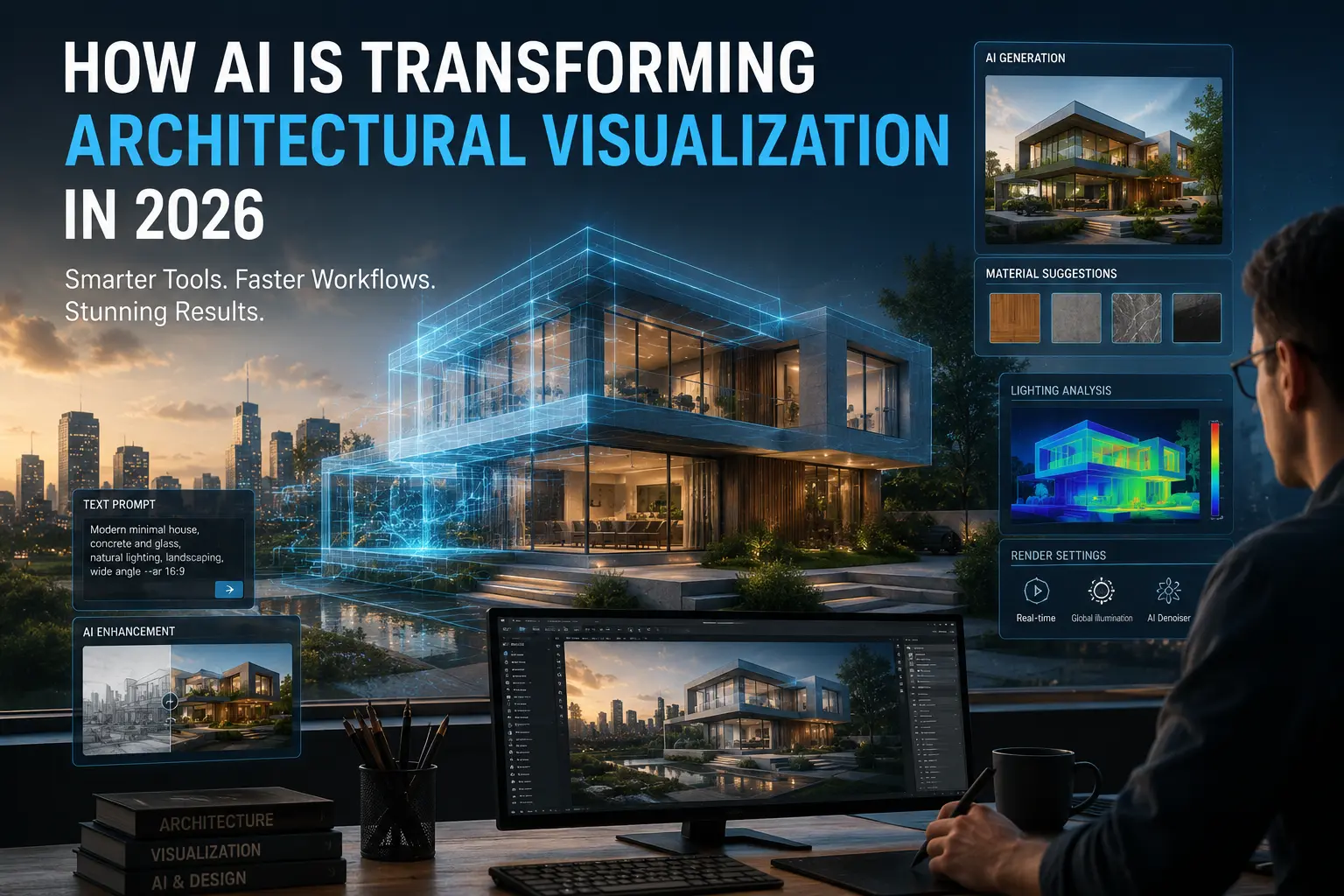
How AI Is Transforming Architectural Visualization in 2026
Architectural visualization has undergone a dramatic transformation over the past few years. What once required days of modeling, rendering, material adjustments, and post-production can now be accomplished in hours through AI-powered workflows.
In 2026, Artificial Intelligence is no longer a futuristic concept within architecture. It has become an essential component of modern visualization pipelines, helping architects, designers, and visualization artists generate ideas faster, improve image quality, automate repetitive tasks, and communicate concepts more effectively.
From AI-generated concept images and intelligent rendering tools to image-to-3D workflows and automated design assistance, architectural visualization is entering a new era of productivity and creativity.
This guide explores how AI is reshaping architectural visualization in 2026, the tools driving this transformation, and how professionals can integrate AI into their daily workflow without sacrificing creativity or design quality.
Why Architectural Visualization Is Changing
Traditional architectural visualization workflows often involve multiple software platforms, extensive rendering times, manual material adjustments, and significant post-production work.
While these workflows remain valuable, increasing project complexity and tighter deadlines have created a growing demand for faster and more efficient solutions.
Clients expect quicker iterations, more design options, and higher visual quality than ever before. As a result, visualization artists and architects are adopting AI technologies to accelerate production while maintaining professional standards.
Instead of replacing designers, AI is helping professionals focus more on creativity, decision-making, and design development by reducing time spent on repetitive technical tasks.
The Rise of AI in Architecture
The architectural industry has embraced Artificial Intelligence at an unprecedented rate. What began with AI-generated imagery has evolved into sophisticated workflows that support concept development, rendering, visualization, animation, documentation, and even design optimization.
Modern AI platforms can analyze visual references, generate architectural concepts from text prompts, improve rendering quality, suggest materials, create lighting variations, and assist in design exploration.
For SketchUp users in particular, AI-powered workflows are becoming increasingly important. Tools such as SUAPP AI and AI Rendering for SketchUp are enabling designers to move from concept to presentation significantly faster than traditional methods.
As these technologies continue to mature, architectural visualization is becoming more accessible, more efficient, and more capable than ever before.
1. AI-Powered Concept Generation
One of the most significant changes in architectural visualization is the ability to generate design concepts almost instantly. Instead of spending hours creating early-stage sketches and mood boards, architects can now use AI to explore dozens of design directions within minutes.
Tools such as ChatGPT, Midjourney, Adobe Firefly, and SUAPP AI allow designers to convert ideas into visual concepts through text prompts, reference images, and design parameters.
This dramatically accelerates the conceptual design phase and enables architects to evaluate multiple design possibilities before committing time to detailed modeling.
Benefits of AI Concept Generation
- Rapid design exploration
- Faster client presentations
- Multiple style variations
- Improved creative ideation
- Reduced early-stage design time
- Better communication of design intent
- More efficient concept validation
Architects, interior designers, visualization artists, and design teams looking to accelerate concept development and presentation workflows.
2. AI-Assisted Architectural Rendering
Rendering has traditionally been one of the most time-consuming stages of architectural visualization. Achieving realistic materials, lighting, atmosphere, and composition often requires extensive manual adjustments.
AI rendering technologies are changing this process by automating many of these tasks while significantly improving visual quality.
Modern rendering solutions can intelligently enhance lighting, improve materials, generate realistic environments, optimize camera settings, and create multiple visual styles from a single model.
Platforms such as D5 Render AI, Veras, and SUAPP AIR have become popular because they allow architects to produce presentation-quality images in a fraction of the time previously required.
Advantages of AI Rendering
- Faster rendering workflows
- Improved visual realism
- Automatic material enhancement
- Lighting optimization
- Style variation generation
- Reduced post-production work
- Higher productivity for visualization teams
If you regularly create architectural renders using SketchUp, our guide on AI Rendering for SketchUp provides additional techniques and workflow recommendations.
3. Image-to-3D Workflows Are Becoming Mainstream
Another major advancement in 2026 is the rapid development of image-to-3D technology. AI systems can now analyze photographs, sketches, floor plans, and concept images to generate usable three-dimensional geometry.
This technology is helping architects reduce modeling time while accelerating concept development and visualization workflows.
Instead of rebuilding everything manually, designers can begin with AI-generated geometry and refine the model according to project requirements.
Image-to-3D workflows are especially valuable for conceptual architecture, urban design studies, renovation projects, and early-stage visualization tasks where speed is critical.
Applications of Image-to-3D Technology
- Concept development
- Building massing studies
- Interior space generation
- Site visualization
- Sketch-to-model workflows
- Photo reconstruction
- Rapid presentation creation
4. SUAPP AI Is Expanding the SketchUp Ecosystem
One of the most interesting developments in architectural visualization is the emergence of AI platforms built specifically around SketchUp workflows. Rather than functioning as standalone image generators, these platforms aim to support architects throughout multiple stages of the design and visualization process.
Among these solutions, SUAPP AI has attracted significant attention because it offers a collection of specialized AI tools designed for architectural professionals and SketchUp users.
Key Components of SUAPP AI
- AIR — AI Rendering and visualization enhancement
- AIC — AI Concept generation and style exploration
- AIM — Image-to-3D workflow generation
- AIA — AI-powered animation creation
- AIT — AI assistant for architectural workflows
These tools allow architects to move from concept generation to rendering and presentation while maintaining a workflow centered around SketchUp and architectural production.
Learn more about the complete ecosystem in our detailed guide: Complete SUAPP AI Guide
5. D5 Render AI Is Accelerating Visualization Production
Real-time rendering has become one of the most important trends in architectural visualization. Modern clients expect faster revisions, higher image quality, and more immersive presentations than ever before.
D5 Render AI combines real-time rendering with intelligent AI-assisted enhancement tools that help architects improve productivity without sacrificing visual quality.
Designers can experiment with materials, lighting conditions, weather environments, and rendering styles much faster than traditional workflows.
Why Architects Use D5 Render AI
- Real-time rendering workflow
- Fast scene optimization
- AI-enhanced image generation
- Improved lighting quality
- Rapid client revisions
- Better presentation visuals
When combined with SketchUp, D5 Render AI can significantly reduce production time while maintaining professional visualization standards.
6. ChatGPT Is Becoming an Architectural Productivity Tool
Although ChatGPT is not a rendering platform, it has become one of the most useful AI tools for architects and visualization professionals.
Architects are increasingly using ChatGPT for design research, project descriptions, client communication, presentation preparation, specification drafting, proposal writing, and workflow planning.
By automating documentation and administrative tasks, architects can dedicate more time to creative design and visualization work.
Common Applications of ChatGPT in Architecture
- Project descriptions
- Design narratives
- Client presentations
- Proposal writing
- Marketing content
- SEO article creation
- Workflow documentation
Many architecture firms now use ChatGPT alongside visualization tools to streamline communication and improve overall project efficiency.
7. AI Is Making Architectural Presentations More Engaging
Architectural presentations are no longer limited to static renderings and traditional boards. AI is enabling architects to create richer and more interactive visual experiences.
Visualization professionals can now generate alternative design options, atmosphere variations, animation sequences, and presentation-ready imagery much faster than before.
This flexibility helps clients better understand design intent while giving architects greater control over how projects are communicated.
The most successful architectural visualization workflows in 2026 combine traditional modeling tools such as SketchUp with AI-powered concept generation, rendering, and presentation technologies rather than relying on a single platform.
8. The Future of Architectural Visualization
Architectural visualization is evolving faster than at any point in its history. Over the next few years, Artificial Intelligence is expected to become deeply integrated into nearly every stage of the visualization pipeline, from concept creation and modeling to rendering, animation, and client presentations.
As AI technologies continue to mature, architects will spend less time on repetitive production tasks and more time focusing on creativity, problem-solving, and design innovation. Rather than replacing professionals, AI is becoming an extension of the architect's toolkit.
Many industry experts believe that future visualization workflows will combine AI-assisted modeling, intelligent rendering, automated animation generation, and real-time design feedback into a single connected ecosystem.
Emerging Trends for 2026 and Beyond
- Real-time AI rendering engines
- AI-generated architectural animations
- Automated material and texture creation
- Advanced image-to-3D generation
- AI-assisted BIM workflows
- Smart design optimization systems
- Interactive client presentation experiences
- AI-powered urban planning analysis
9. Advantages of AI in Architectural Visualization
The growing adoption of AI in architecture is driven by measurable improvements in efficiency, flexibility, and visual quality. Firms that successfully integrate AI tools into their workflow are often able to produce more design alternatives, improve presentation quality, and respond to client feedback faster than traditional workflows allow.
Major Benefits
- Significantly faster visualization workflows
- Reduced rendering and post-production time
- More design variations and iterations
- Improved visual communication
- Enhanced client presentations
- Better productivity for design teams
- Lower production costs
- Greater creative exploration
Architects who combine AI technologies with proven design methodologies can achieve both higher efficiency and stronger design outcomes.
10. Understanding the Limitations of AI
Despite its impressive capabilities, AI is not a complete replacement for architectural expertise. Visualization tools can generate images and automate processes, but they cannot fully understand client requirements, cultural context, building regulations, or the complex decision-making process involved in architectural design.
Architectural visualization remains a discipline that relies heavily on professional judgment, design knowledge, storytelling, and communication. AI performs best when used as a collaborative tool that supports the architect rather than replacing the architect.
Current Limitations
- Occasional visual inaccuracies
- Limited understanding of design intent
- Dependence on quality prompts and references
- Potential inconsistency between iterations
- Need for professional review and refinement
- Limited understanding of project-specific constraints
Successful architects use AI to enhance their workflow while maintaining full control over design decisions and project direction.
A Modern AI Workflow for Architects
A typical AI-assisted visualization workflow in 2026 often combines multiple specialized tools rather than relying on a single platform.
Example Workflow
- Generate initial ideas using ChatGPT and AI concept tools.
- Create concept imagery with Midjourney, Firefly, or SUAPP AIC.
- Develop geometry in SketchUp.
- Use SUAPP AIM for image-to-3D assistance when appropriate.
- Create renders using D5 Render AI or SUAPP AIR.
- Generate animations with AI-assisted tools.
- Prepare final presentations and marketing materials.
Architects looking to improve their production pipeline can explore additional resources such as our Complete SketchUp Workflow Guide and Online SketchUp Courses .
The most effective architectural visualization workflows in 2026 are not fully automated. They combine professional architectural expertise with carefully selected AI tools to maximize creativity, efficiency, and presentation quality.
Frequently Asked Questions
Will AI replace architectural visualization artists?
No. AI is a productivity tool rather than a replacement for professional expertise. Architectural visualization still requires creativity, design thinking, storytelling, technical understanding, and client communication. AI helps professionals work faster, but human judgment remains essential.
What is the biggest benefit of AI in architectural visualization?
The greatest advantage is speed. AI allows architects and visualization artists to generate concepts, improve renderings, explore alternatives, and prepare presentations significantly faster than traditional workflows.
Which AI tools are most useful for SketchUp users?
Among the most valuable solutions for SketchUp users are SUAPP AI, D5 Render AI, ChatGPT, Veras, Midjourney, and Adobe Firefly. These tools support concept generation, rendering, image-to-3D workflows, and architectural presentations.
Can AI improve client presentations?
Yes. AI enables architects to generate multiple design alternatives, visualization styles, lighting scenarios, and presentation-quality images, helping clients better understand design intent and make decisions faster.
What role will AI play in architecture over the next decade?
AI is expected to become an integral part of design development, visualization, documentation, analysis, and project communication. However, architects will continue to lead the creative and decision-making aspects of the profession.
Recommended Resources for Architects
If you want to improve your SketchUp workflow, AI rendering skills, and architectural visualization capabilities, explore the following resources:
Conclusion
Artificial Intelligence is fundamentally transforming architectural visualization in 2026. From concept generation and rendering to animation and image-to-3D workflows, AI technologies are helping architects work more efficiently while producing higher-quality visual content.
The most successful professionals are not replacing traditional architectural skills with AI. Instead, they are combining powerful AI tools with design expertise, technical knowledge, and creative thinking to achieve better outcomes.
As AI continues to evolve, architectural visualization will become faster, more accessible, and more interactive. Architects who embrace these technologies today will be better positioned to deliver compelling designs, stronger presentations, and more efficient workflows in the years ahead.
Explore advanced SketchUp workflows, AI rendering techniques, professional plugins, and architectural resources through Nice Tower Pro and Nice Towers.
