
1001bit Tools for SketchUp is one of the most useful productivity plugins for architects, interior designers, civil engineers, and architectural modelers who want to speed up repetitive modeling tasks. Instead of manually drawing the same elements again and again, 1001bit Tools helps you create practical architectural forms such as walls, stairs, roofs, openings, louvers, screens, and other building components more efficiently.
If you work in architectural modeling, interior design, building design, or engineering visualization, this extension can save a significant amount of time in SketchUp. Many users search for best 1001bit Tools features, 1001bit Tools for architects, or SketchUp architecture plugin because the plugin includes several commands that fit real design workflows.
In this guide, we highlight ten of the most useful 1001bit Tools features based on practical architectural use cases. These are the tools that can make day-to-day SketchUp modeling faster, cleaner, and more production-friendly.
1001bit Tools at a Glance
Why 1001bit Tools Is Popular in Architecture
Many SketchUp plugins focus on one narrow task, but 1001bit Tools is popular because it covers several practical architectural commands in one toolkit. It is especially helpful when you want to create stairs, walls, roof forms, openings, louvers, and screen elements quickly without building everything manually from scratch.
10 Best 1001bit Tools Features for SketchUp
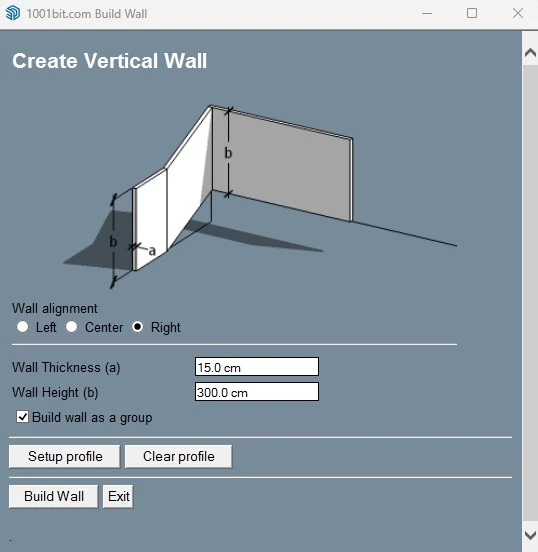
1. Wall Tool
The Wall Tool is one of the most practical features in 1001bit Tools for SketchUp. It helps you generate wall geometry more quickly, which is especially useful during concept design, floor-plan modeling, and early architectural massing.
Instead of drawing and offsetting every wall segment manually, this tool supports a more efficient wall creation workflow for architectural planning, interior layout modeling, and building design.
- Useful for quick plan-to-model workflows
- Helps create cleaner wall-based geometry faster
- Good for residential and commercial SketchUp projects
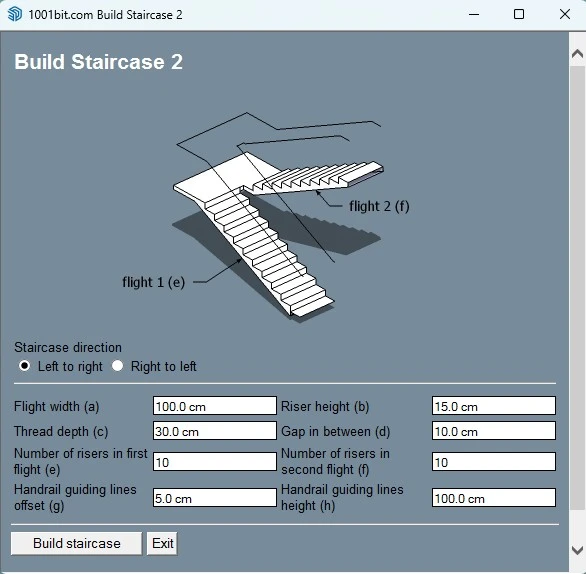
2. Straight Stairs Tool
Stair modeling is one of the most searched 1001bit workflows, and for good reason. Creating stairs manually in SketchUp can take time, especially when you need consistent proportions and repeated tread-riser geometry.
The Straight Stairs Tool is valuable for architects and engineers who need a faster way to model circulation elements in houses, duplexes, offices, and other projects.
- Saves time in stair generation
- Useful for floor-to-floor circulation design
- Good for architectural modeling and presentation work
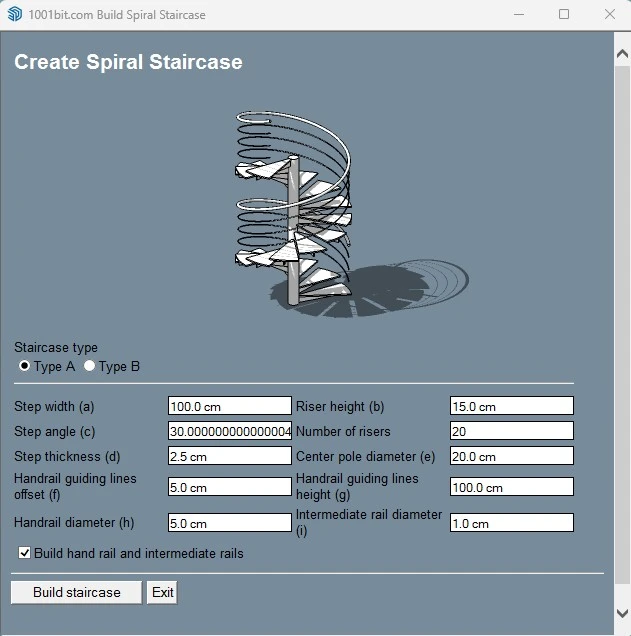
3. Spiral Staircase Tool
Spiral stairs are visually attractive but often more complex to build manually in SketchUp. This 1001bit feature gives users a practical way to create spiral staircase models for modern interiors, compact spaces, rooftop access, and feature stair designs.
For interior designers and visualization artists, this tool is especially helpful because spiral stairs can become an important focal point in a render or presentation model.
- Helps create curved stair geometry faster
- Useful in interior and architectural presentation models
- Supports more visually dynamic staircase design workflows
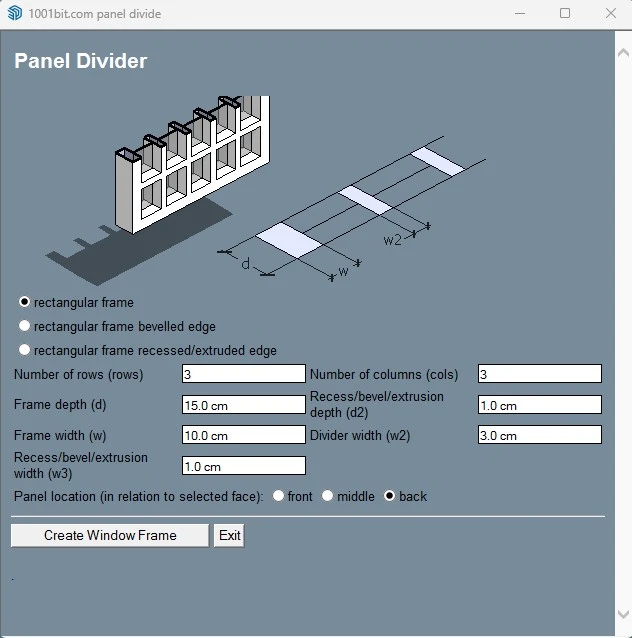
4. Panel Divider Tool
The Panel Divider feature is useful when you want to break a surface into organized segments for paneling, cladding concepts, decorative walls, or modular façade studies.
This is especially relevant in interior architecture, façade design, and parametric-looking visual workflows, where repeated divisions are part of the design language.
- Useful for wall paneling and cladding studies
- Speeds up modular design exploration
- Helpful for feature walls and decorative surfaces
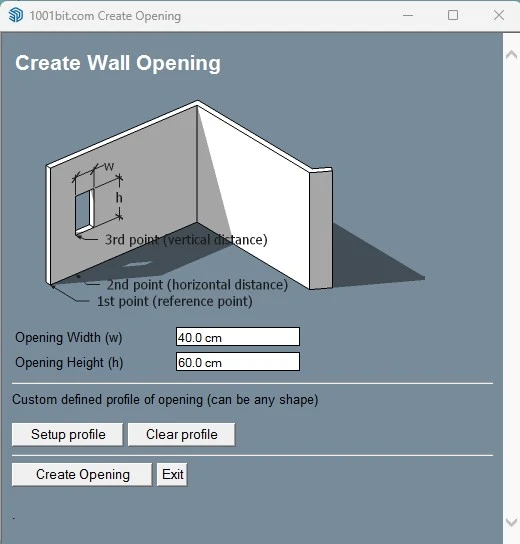
5. Opening Tool
Openings are among the most common architectural elements in any building model. The Opening Tool can help streamline workflows where you need to create door openings, window openings, or wall penetrations more efficiently.
This makes it practical for users working on residential architecture, apartment modeling, commercial projects, and technical concept development.
- Useful for door and window placement workflows
- Helps speed up repetitive wall modification tasks
- Good for early design and presentation modeling
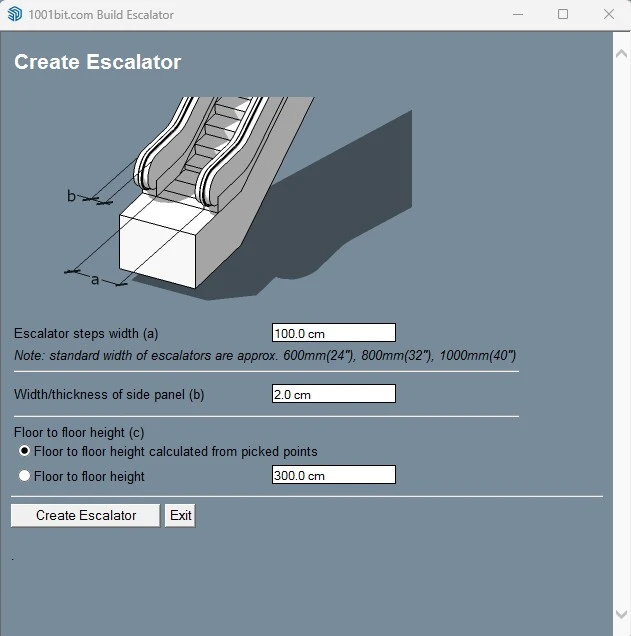
6. Escalator Tool
The Escalator Tool is particularly useful in commercial and public-space design. If you model malls, airports, transit spaces, shopping centers, or large public interiors, this tool can save time compared with building escalators manually.
It is not something every SketchUp user needs every day, but for the right project type, it is one of those features that can dramatically improve workflow efficiency.
- Useful for commercial and retail projects
- Helps create circulation elements more quickly
- Good for concept models and interior visualization
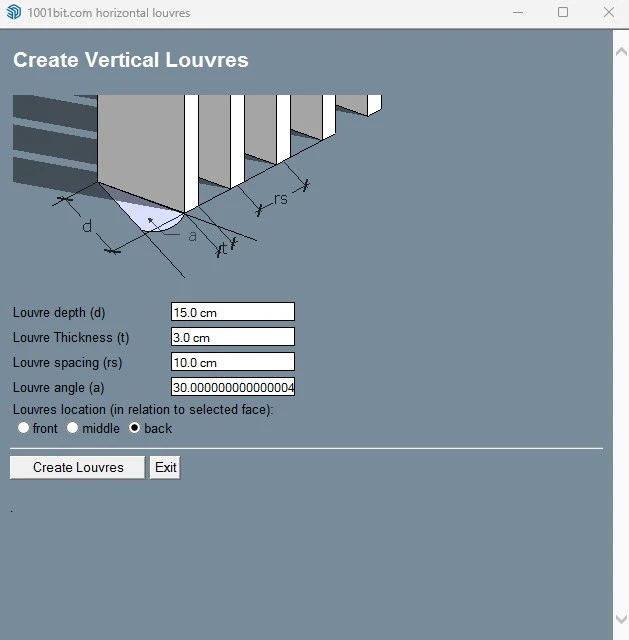
7. Vertical Louvers Tool
Vertical louvers are widely used in contemporary architecture for shading, privacy, façade articulation, and visual rhythm. This feature is helpful for users exploring sun-shading systems, modern façade concepts, and architectural screening elements.
Instead of copying and spacing louver elements one by one, this workflow helps accelerate repeated façade patterns.
- Useful for façade shading and privacy design
- Speeds up repeated louver arrangements
- Good for architectural elevation studies
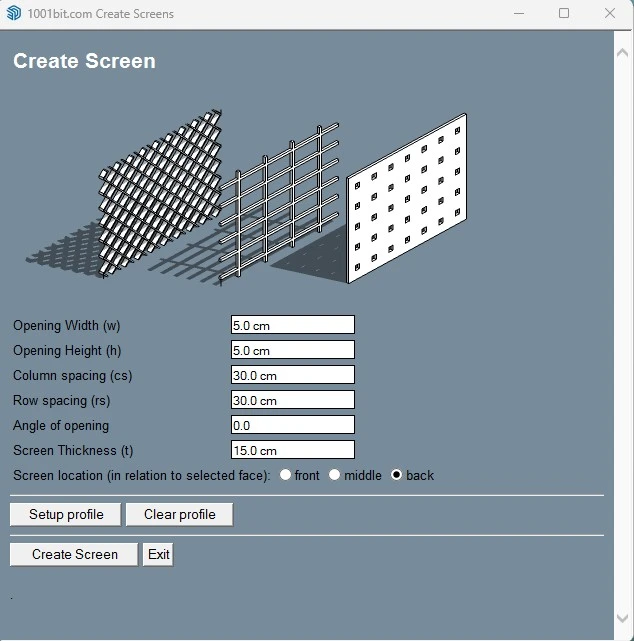
8. Screen Tool
The Screen Tool is useful for generating patterned dividers, partitions, or façade-style screen systems. These can be used in interior design, landscape structures, pergolas, privacy walls, and decorative architectural features.
This kind of tool is valuable when you need fast design alternatives for repeated surface elements that would otherwise take much longer to model manually.
- Useful for decorative screens and partitions
- Supports both exterior and interior design workflows
- Good for pattern-based architectural studies
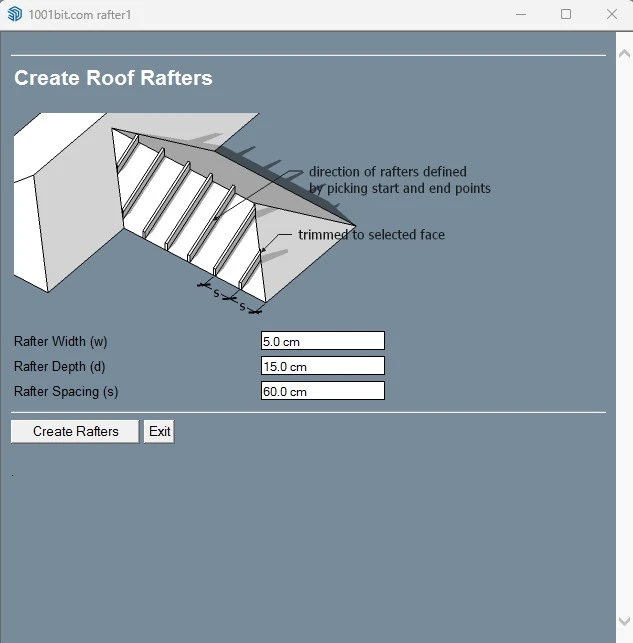
9. Roof Tool
Roof creation is another key area where 1001bit Tools can help. The Roof Tool is practical for architects and house designers who need to create common roof forms more quickly during residential and building design workflows.
For many SketchUp users, roof modeling can become repetitive, especially when developing multiple options. A dedicated roof feature improves speed and supports faster concept iteration.
- Useful for residential roof studies
- Helps speed up architectural massing and detail workflows
- Good for concept design and presentation models
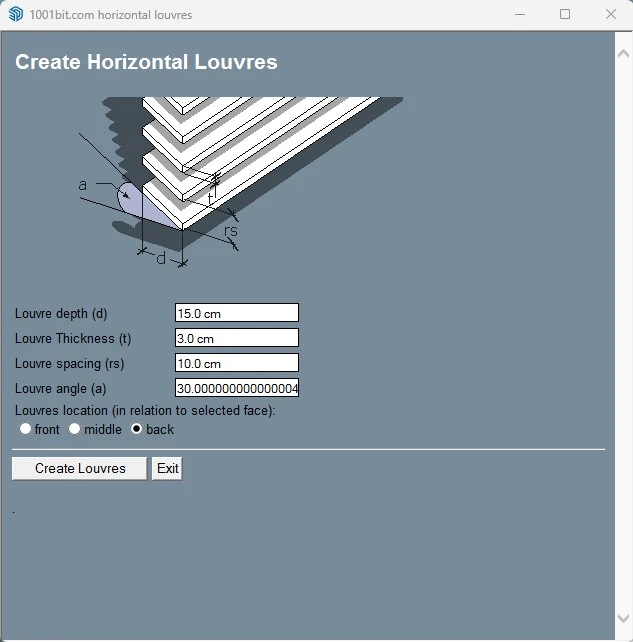
10. Horizontal Louvers Tool
Horizontal louvers are commonly used for shading control, façade layering, and modern architectural expression. This feature is especially relevant in hot-climate design, sustainable design thinking, and contemporary elevation development.
Together with the vertical louver feature, it makes 1001bit Tools more attractive for users working on façade systems, architectural screens, and building-envelope studies.
- Useful for sun control and façade styling
- Supports repeated horizontal shading systems
- Helpful in modern architectural presentation workflows
Why These 1001bit Features Matter in Real Projects
Faster Concept Development
Tools like walls, roofs, stairs, and openings reduce the time required to turn a 2D idea into a workable 3D SketchUp model.
Better Architectural Workflow
Because many 1001bit commands are tied to common building elements, the plugin fits naturally into architecture and engineering workflows.
Useful for Interior Design
Spiral stairs, panel dividers, openings, and screens can all help interior designers build more presentation-ready models faster.
Helpful for Façade Studies
Vertical and horizontal louvers, screens, and panel divisions can support façade design, shading studies, and architectural expression.
Who Should Use 1001bit Tools?
1001bit Tools is especially useful for:
- Architects who model residential and commercial projects in SketchUp
- Interior designers who need faster modeling for stairs, partitions, and architectural elements
- Civil and building engineers who want quicker conceptual 3D workflows
- Students of architecture and engineering learning building-modeling techniques
- SketchUp users who want one plugin with several architecture-oriented tools
Useful Resources for SketchUp Users
Frequently Asked Questions
What is 1001bit Tools for SketchUp used for?
1001bit Tools is used to speed up architectural and repetitive modeling tasks in SketchUp, especially for walls, stairs, roofs, openings, screens, and louvers.
Is 1001bit Tools good for architects?
Yes. It is especially useful for architects and designers because many of its tools focus on common building elements and architectural workflows.
Which 1001bit feature is most useful?
That depends on your workflow, but walls, stairs, openings, and roofs are among the most useful commands for many SketchUp users.
Can 1001bit Tools help with façade design?
Yes. Features such as vertical louvers, horizontal louvers, screens, and panel divisions can help with façade studies and shading concepts.
Is 1001bit Tools beginner-friendly?
It is fairly approachable for beginners, especially for users who already understand basic SketchUp modeling and want faster workflows for architectural elements.